Understanding Deployment Topologies
There are a number of different methods in which Tungsten Replicator can be configured, review "deployment-mysql-desc-methods" for full details of the differences between each deployment style. The following sections explain the different topology styles that can be deployed
"Simple Primary/Replica Topology"
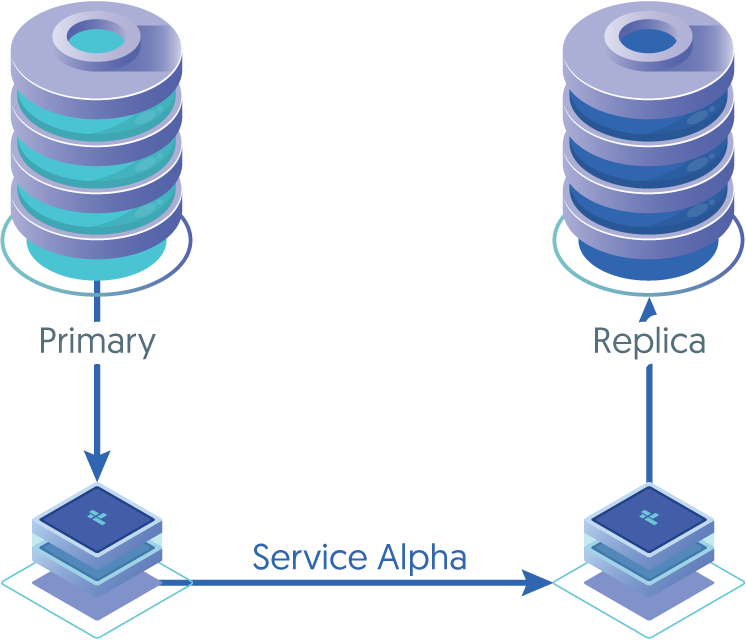
A simple Primary/Replica topology replicating from one source host to one target.
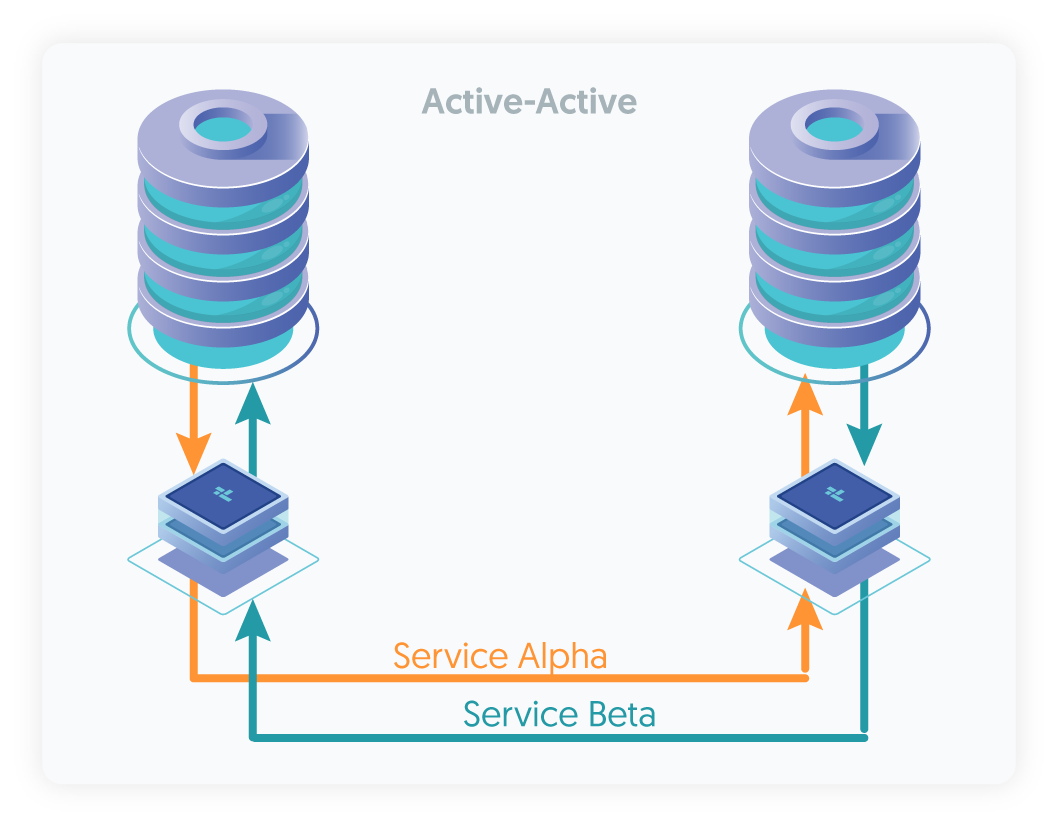
A more advanced topology allowing bi-directional replication between two or more hosts.
This topology can only be configured between MySQL hosts
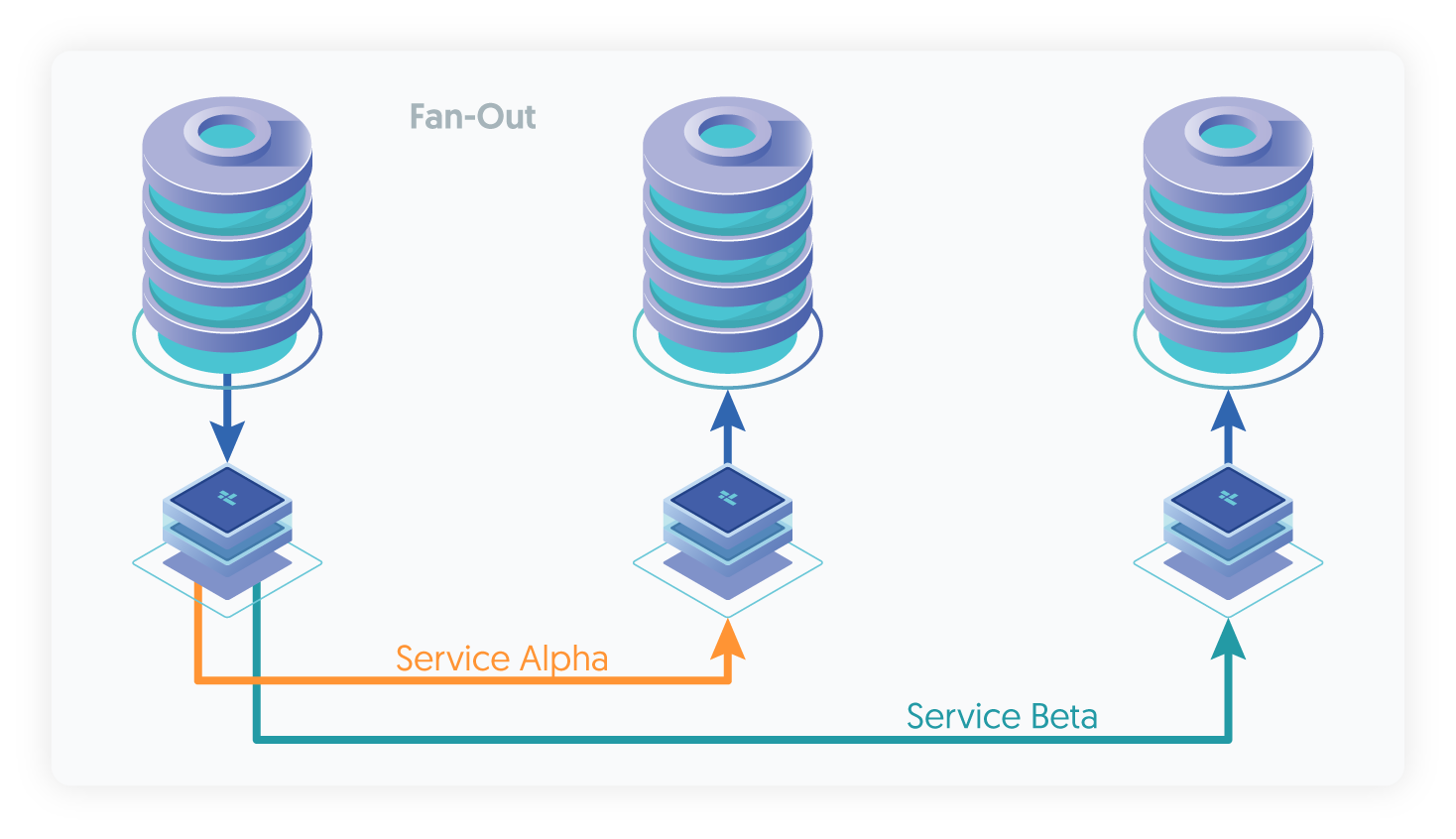
A more advanced Primary/Replica topology replicating from a single source host into multiple targets.
Each target can be of a different type, and advanced filtering can elevate this topology into a highly advanced solution.
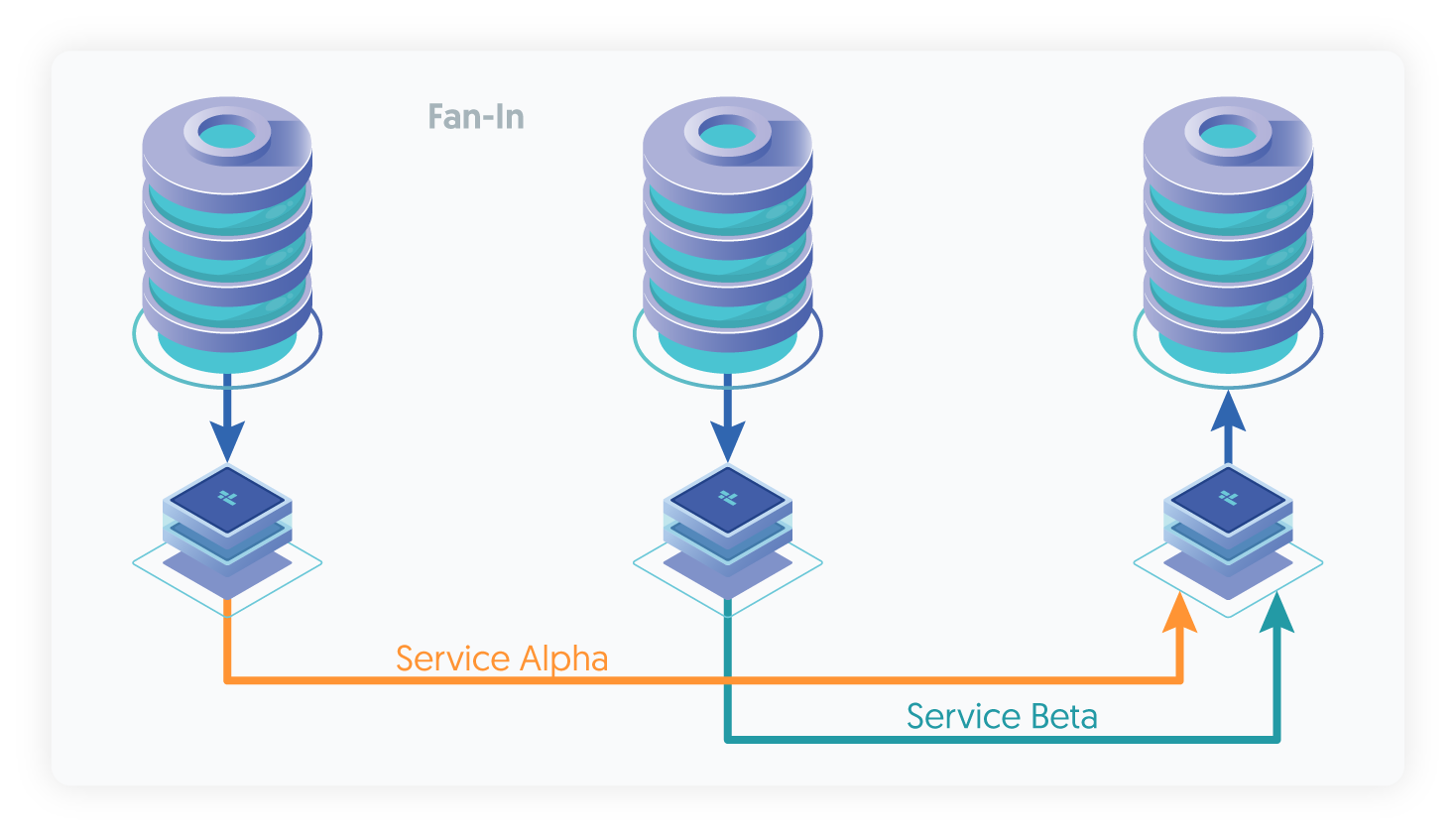
The reverse of Fan-Out, this topology allows multiple source hosts to be replicated into a single target.
Advanced filtering within the replicator will allow flexibility to, for example, remap schemas
"Replicating in/out of an existing Tungsten Cluster"
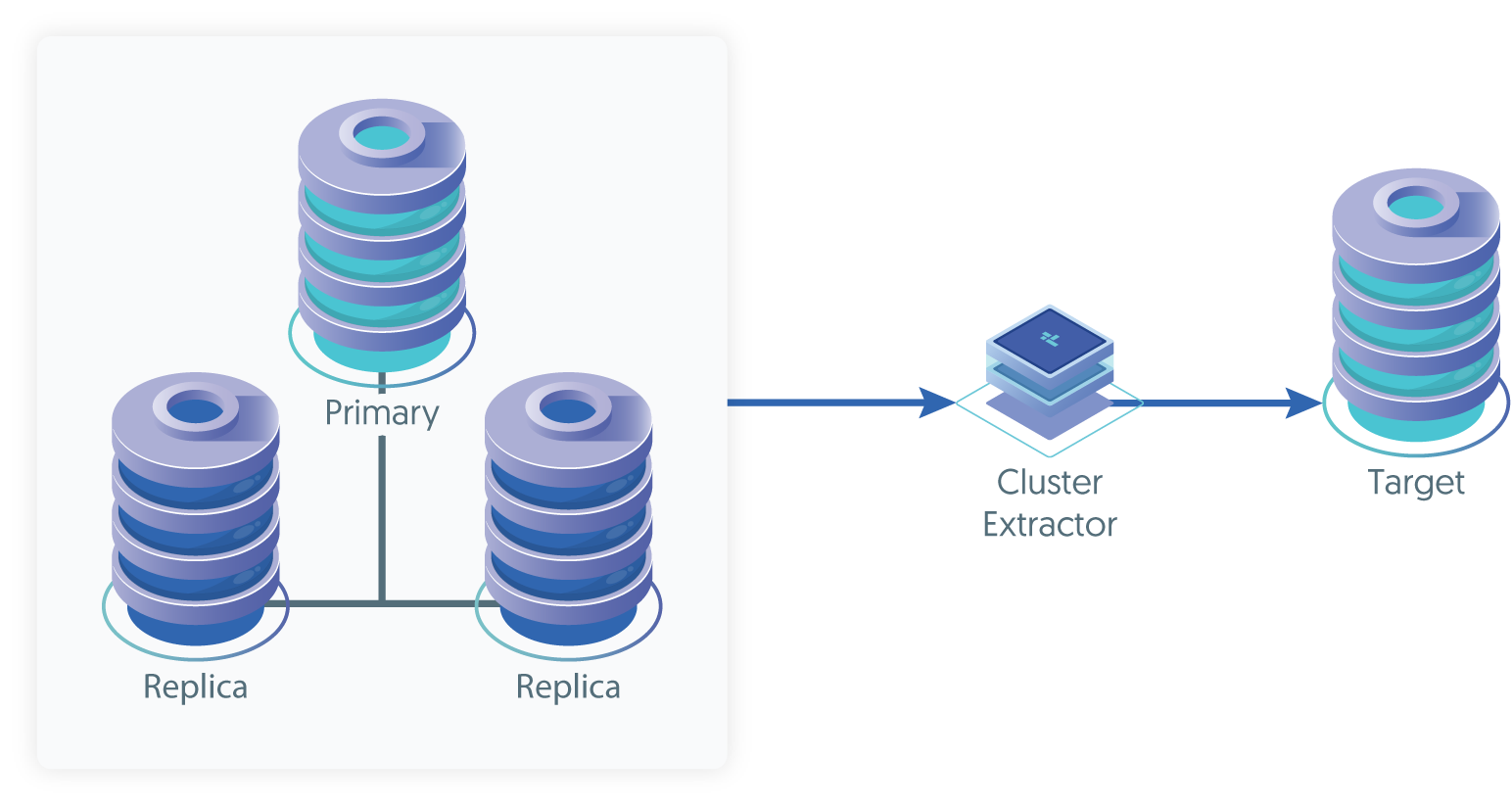
Configuring the replicator as a Cluster Extractor will allow you to leverage THL generated within an existing Tungsten Cluster to be replicated to a standalone target
Simple Primary/Replica Topology
Primary/Replica is the simplest and most straightforward of all replication scenarios, and also the basis of all other types of topology. The fundamental basis for the Primary/Replica topology is that changes in the source are distributed and applied to target.
Active/Active Topology
An active/active topology, relies on a number of individual services that are used to define a Primary/Replica topology between each group of hosts. In a three-node active/active setup, for example, three different services are created on each host, each service creates a Primary/Replica relationship between a primary host (itself) and the remote Targets. A change on any individual host will be replicated to the other databases in the topology creating the active/active configuration.
Fan-Out Topology
The fan-out topology allows you to replicate from one single host out to two or more target hosts. Fan-out topologies are often used in situations where you have different reporting requirements, for example, sales figures may need aggregating and reporting within a Redshift environment but payroll information may need replicating to a MySQL environment for back office processing.
Fan-In Topology
The fan-in topology is the logical opposite of a fan-out topology. In a fan-in topology, the data from two (or more) Sources is combined together on one Target. Fan-in topologies are often used in situations where you have satellite databases, maybe for sales or retail operations, and need to combine that information together in a single database for processing.
Replicating in/out of an existing Tungsten Cluster
If you have an existing cluster and you want to replicate the data out to a separate standalone server using Tungsten Replicator then you can create a cluster alias, and use a Primary/Replica topology to replicate from the cluster. This allows for THL events from the cluster to be applied to a separate server for the purposes of backup or separate analysis.