Replicating Data Out of a Cluster
If you have an existing cluster and you want to replicate the data out to a separate standalone server using Tungsten Replicator then you can create a cluster alias, and use a primary/replica topology to replicate from the cluster. This allows for THL events from the cluster to be applied to a separate server for the purposes of backup or separate analysis.
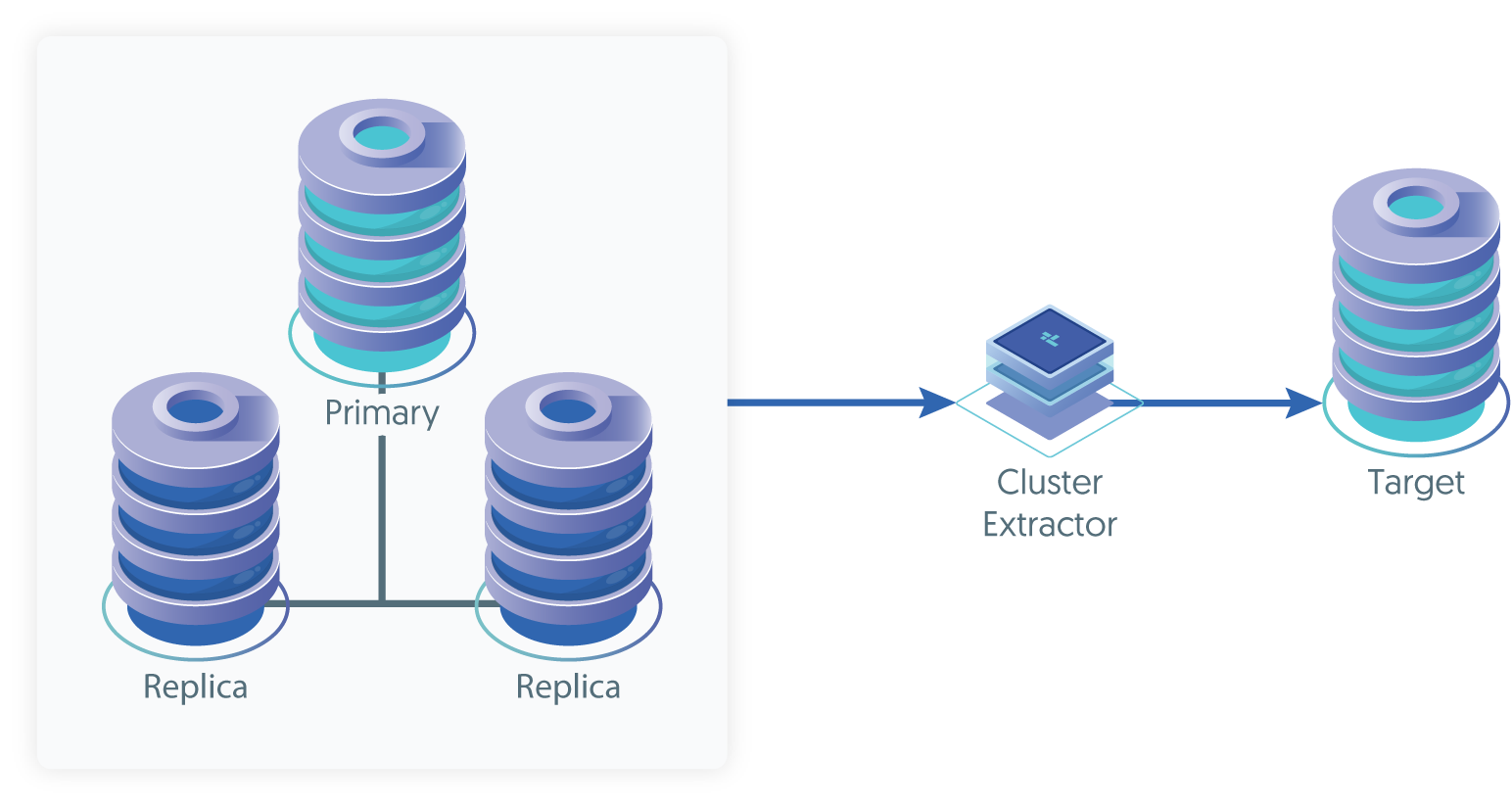
During the installation process topology=cluster-alias and topology=cluster-slave are
declared. The cluster-alias describes all of the servers in the cluster and how they may be reached.
The cluster-slave defines one or more servers that will replicate from the cluster.
The Tungsten Replicator will be installed on the cluster-slave server. That server will download THL data and
apply them to the local server. If the cluster-slave has more than one server; one of them will be declared the
relay (or primary). The other members of the cluster-slave may also download THL data from that server.
If the relay for the cluster-slave fails; the other nodes will automatically start downloading THL data from a server in the
cluster. If a non-relay server fails; it will not have any impact on the other members.
Prepare
Identify the cluster to replicate from. You will need the primary, replicas and THL port (if specified). Use
tpm reversefrom a cluster member to find the correct values.If you are replicating to a non-MySQL server. Update the configuration of the cluster to include the following properties prior to beginning.
svc-extractor-filters=colnames,pkeyproperty=replicator.filter.pkey.addColumnsToDeletes=trueproperty=replicator.filter.pkey.addPkeyToInserts=trueIdentify all servers that will replicate from the cluster. If there is more than one, a relay server should be identified to replicate from the cluster and provide THL data to other servers.
Prepare each server according to the prerequisites for the DBMS platform it is serving. If you are working with multiple DBMS platforms; treat each platform as a different
"cluster-slave"during deployment.Make sure the THL port for the cluster is open between all servers.
Deploy
Install the Tungsten Replicator RPM package or download the Tungsten Replicator tarball, and unpack it:
shell> cd /opt/continuent/softwareshell> tar zxf tungsten-replicator-8.0.4-132.tar.gzChange to the unpackaged directory:
shell> cd tungsten-replicator-8.0.4-132Configure the replicator
Example tungsten.ini[defaults]install-directory=/opt/continuentprofile-script=~/.bash_profilereplication-password=secretreplication-port=13306replication-user=tungstenuser=tungstenrest-api-admin-user=apiuserrest-api-admin-password=secretreplicator-rest-api-address=0.0.0.0[alpha]master=host1members=host1,host2,host3thl-port=2112topology=cluster-alias[beta]relay=host6relay-source=alphatopology=cluster-slaveShow argument definitions
install-directory=/opt/continuentInstallation directory.profile-script=~/.bash_profileAppend commands to include env.sh in this profile script.replication-password=secretDatabase password.replication-port=13306Database network port.replication-user=tungstenUser for database connection.user=tungstenOS System User, for example tungsten. DO NOT use root.rest-api-admin-user=apiuserSpecify the initial Admin Username for API access.Available from v7.0.0rest-api-admin-password=secretSpecify the initial Admin User Password for API access.rest-api-admin-passwordalias only available from version 7.1.2 onwards.Available from v7.0.0replicator-rest-api-address=0.0.0.0Address for the API to bind too.Available from v7.0.0ImportantIf you are replicating to a non-MySQL server. Include the following steps in your configuration.
shell> mkdir -p /opt/continuent/share/shell> cp tungsten-replicator/support/filters-config/convertstringfrommysql.json /opt/continuent/share/Then, include the following parameters in the configuration
property=replicator.stage.remote-to-thl.filters=convertstringfrommysqlproperty=replicator.filter.convertstringfrommysql.definitionsFile=/opt/continuent/share/convertstringfrommysql.jsonImportantThe dataservice
cluster-aliasname MUST be the same as the cluster dataservice name that you are replicating from.NoteDo not include
start-and-reportif you are taking over for MySQL native replication. See "operations-seeddata-mysqlnative" for next steps after completing installation.Once the configuration has been completed, you can perform the installation to set up the services using this configuration:
shell> ./tools/tpm install
During the installation and startup, tpm will notify you of any problems that need to be fixed before the service can be
correctly installed and started. If the service starts correctly, you should see the configuration and current status of the service.
If the installation process fails, check the output of the /tmp/tungsten-configure.log file for more information about
the root cause.
The replicator should be installed and ready to use.