Deploying a Primary/Replica Topology
Primary/Replica is the simplest and most straightforward of all replication scenarios, and also the basis of all other types of topology. The fundamental basis for the Primary/Replica topology is that changes in the Primary are distributed and applied to the each of the configured Replicas.
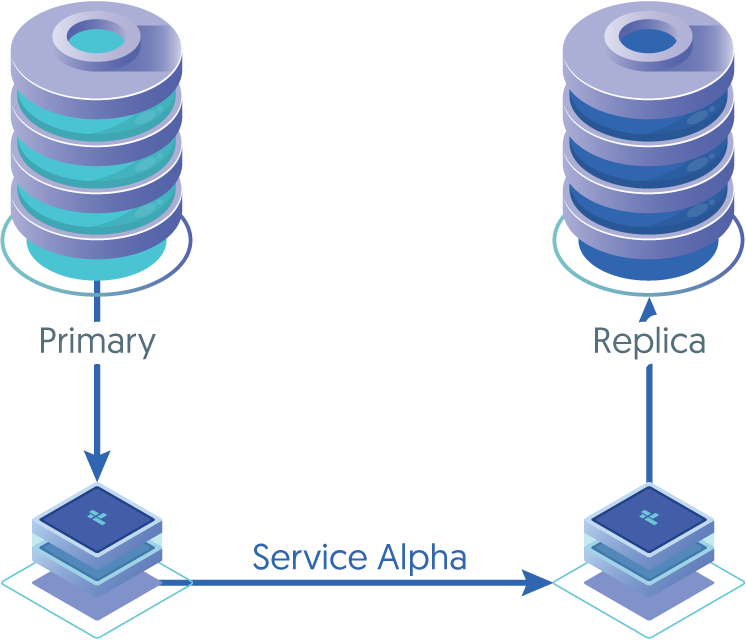
This deployment style can be used against the following sources
- MySQL Community Edition
- MySQL Enterprise Edition
- Percona MySQL
- MariaDB
This deployment assumes full access to the host, including access to Binary Logs, therefore this deployment style is not suitable for Cloud Managed database, such as Amazon Aurora or Google Cloud SQL. For these sources, see "Deploying an Extractor for Cloud Managed SQL"
tpm includes a specific topology structure for the basic Primary/Replica configuration, using the list of hosts and the Primary host
definition to define the Primary/Replica relationship. Before starting the installation, the prerequisites must have been completed (see "Installation Prerequisites").
To create a Primary/Replica using tpm:
Install the Tungsten Replicator RPM package, or download the compressed tarball and unpack it into a staging directory:
shell> cd /opt/continuent/softwareshell> tar zxf tungsten-replicator-8.0.4-132.tar.gzChange to the Tungsten Replicator staging directory:
shell> cd tungsten-replicator-8.0.4-132Create the
/etc/tungsten/tungsten.iniusing the appropriate example below as a template.Onboard Installation
Configure the replicator for extraction from a locally installed and configured MySQL Installation (In this example, the service name is alpha)
Example tungsten.ini[defaults]user=tungsteninstall-directory=/opt/continuentprofile-script=~/.bash_profilemysql-allow-intensive-checks=truerest-api-admin-user=apiuserrest-api-admin-pass=secretreplicator-rest-api-address=0.0.0.0install=true[alpha]master=localhostmembers=localhostreplication-port=3306replication-user=tungstenreplication-password=secretShow argument definitions
user=tungstenOS System User, for example tungsten. DO NOT use root.install-directory=/opt/continuentInstallation directory.profile-script=~/.bash_profileAppend commands to include env.sh in this profile script.mysql-allow-intensive-checks=trueFor MySQL installation, enables detailed checks on the supported data types within the MySQL database to confirm compatibility.rest-api-admin-user=apiuserSpecify the initial Admin Username for API access.Available from v7.0.0rest-api-admin-pass=secretSpecify the initial Admin User Password for API access.rest-api-admin-passwordalias only available from version 7.1.2 onwards.Available from v7.0.0replicator-rest-api-address=0.0.0.0Address for the API to bind too.Available from v7.0.0install=trueConfigures services with systemd during installation. The same as executing deployall after installation.datasource-mysql-conf, is optional and can be used if the MySQL configuration file cannot be located bytpm, or is in a non-default locationOffboard Installation
Configure the replicator for extraction from a remotely installed and configured MySQL Installation (In this example, the service name is alpha)
In the example below, the server
offboardhostis the host that the Replicator is installed upon, and the serverdbhostis the database host to apply the events to.Example offboard tungsten.ini[defaults]install-directory=/opt/continuentuser=tungstenprofile-script=~/.bash_profilemysql-allow-intensive-checks=trueskip-validation-check=MySQLAvailableCheckskip-validation-check=MySQLConfFileskip-validation-check=RowBasedBinaryLoggingCheckrest-api-admin-user=apiuserrest-api-admin-password=secretreplicator-rest-api-address=0.0.0.0[alpha]master=offboardhostmembers=offboardhostenable-heterogeneous-service=trueprivileged-master=truereplication-host=dbhostreplication-port=3306replication-user=tungsten_alphareplication-password=secretShow argument definitions
install-directory=/opt/continuentInstallation directory.user=tungstenOS System User, for example tungsten. DO NOT use root.profile-script=~/.bash_profileAppend commands to include env.sh in this profile script.mysql-allow-intensive-checks=trueFor MySQL installation, enables detailed checks on the supported data types within the MySQL database to confirm compatibility.skip-validation-check=RowBasedBinaryLoggingCheckDo not run the specified validation check.skip-validation-check=RowBasedBinaryLoggingCheckDo not run the specified validation check.skip-validation-check=RowBasedBinaryLoggingCheckDo not run the specified validation check.rest-api-admin-user=apiuserSpecify the initial Admin Username for API access.Available from v7.0.0rest-api-admin-password=secretSpecify the initial Admin User Password for API access.rest-api-admin-passwordalias only available from version 7.1.2 onwards.Available from v7.0.0replicator-rest-api-address=0.0.0.0Address for the API to bind too.Available from v7.0.0Once the prerequisites and configuring of the installation has been completed, the software can be installed:
shell> ./tools/tpm install
In both of the above examples, enable-heterogeneous-service, is only required if the target applier is NOT a MySQL database
If the installation process fails, check the output of the /tmp/tungsten-configure.log file for more information about the root cause.
Once the installation has been completed, you can now proceed to configure the Applier service following the relevant step within "Deploying Appliers".
Following installation of the applier, the services can be started. For information on starting and stopping Tungsten see "Starting and Stopping Tungsten Components"; configuring init scripts to startup and shutdown when the system boots and shuts down, see "Configuring Startup on Boot".
Monitoring the MySQL Extractor
Once the service has been started, a quick view of the service status can be determined using trepctl:
shell> trepctl services
Processing services command...
NAME              VALUE
----              -----
appliedLastSeqno: 3593
appliedLatency  : 1.074
role            : master
serviceName     : alpha
serviceType     : local
started         : true
state           : ONLINE
Finished services command...
The key fields are:
appliedLastSeqnoandappliedLatencyindicate the global transaction ID and latency of the host. These are important when monitoring the status of the cluster to determine how up to date a host is and whether a specific transaction has been applied.roleindicates the current role of the host within the scope of this dataservice.stateshows the current status of the host within the scope of this dataservice.
More detailed status information can also be obtained. On the Extractor:
shell> trepctl status
Processing status command...
NAME                     VALUE
----                     -----
appliedLastEventId     : mysql-bin.000009:0000000000001033;0
appliedLastSeqno       : 3593
appliedLatency         : 1.074
channels               : 1
clusterName            : default
currentEventId         : mysql-bin.000009:0000000000001033
currentTimeMillis      : 1373615598598
dataServerHost         : host1
extensions             :
latestEpochNumber      : 3589
masterConnectUri       :
masterListenUri        : thl://host1:2112/
maximumStoredSeqNo     : 3593
minimumStoredSeqNo     : 0
offlineRequests        : NONE
pendingError           : NONE
pendingErrorCode       : NONE
pendingErrorEventId    : NONE
pendingErrorSeqno      : -1
pendingExceptionMessage: NONE
pipelineSource         : jdbc:mysql:thin://host1:3306/
relativeLatency        : 604904.598
resourcePrecedence     : 99
rmiPort                : 10000
role                   : master
seqnoType              : java.lang.Long
serviceName            : alpha
serviceType            : local
simpleServiceName      : alpha
siteName               : default
sourceId               : host1
state                  : ONLINE
timeInStateSeconds     : 604903.621
transitioningTo        :
uptimeSeconds          : 1202137.328
version                : Tungsten Replicator 8.0.4 Build 132
Finished status command...
For more information on using trepctl, see "The trepctl Command".
Definitions of the individual field descriptions in the above example output can be found in "Generated Field Reference".
For more information on management and operational detailed for managing your replicator installation, see "Operations".