Redshift Replication Operation
The Redshift applier makes use of the JavaScript based batch loading system (see "JavaScript Batchloader Scripts"). This constructs change data from the source-database. The change data is then loaded into staging tables, at which point a process will then merge the change data up into the base tables. A summary of this basic structure can be seen in the image below
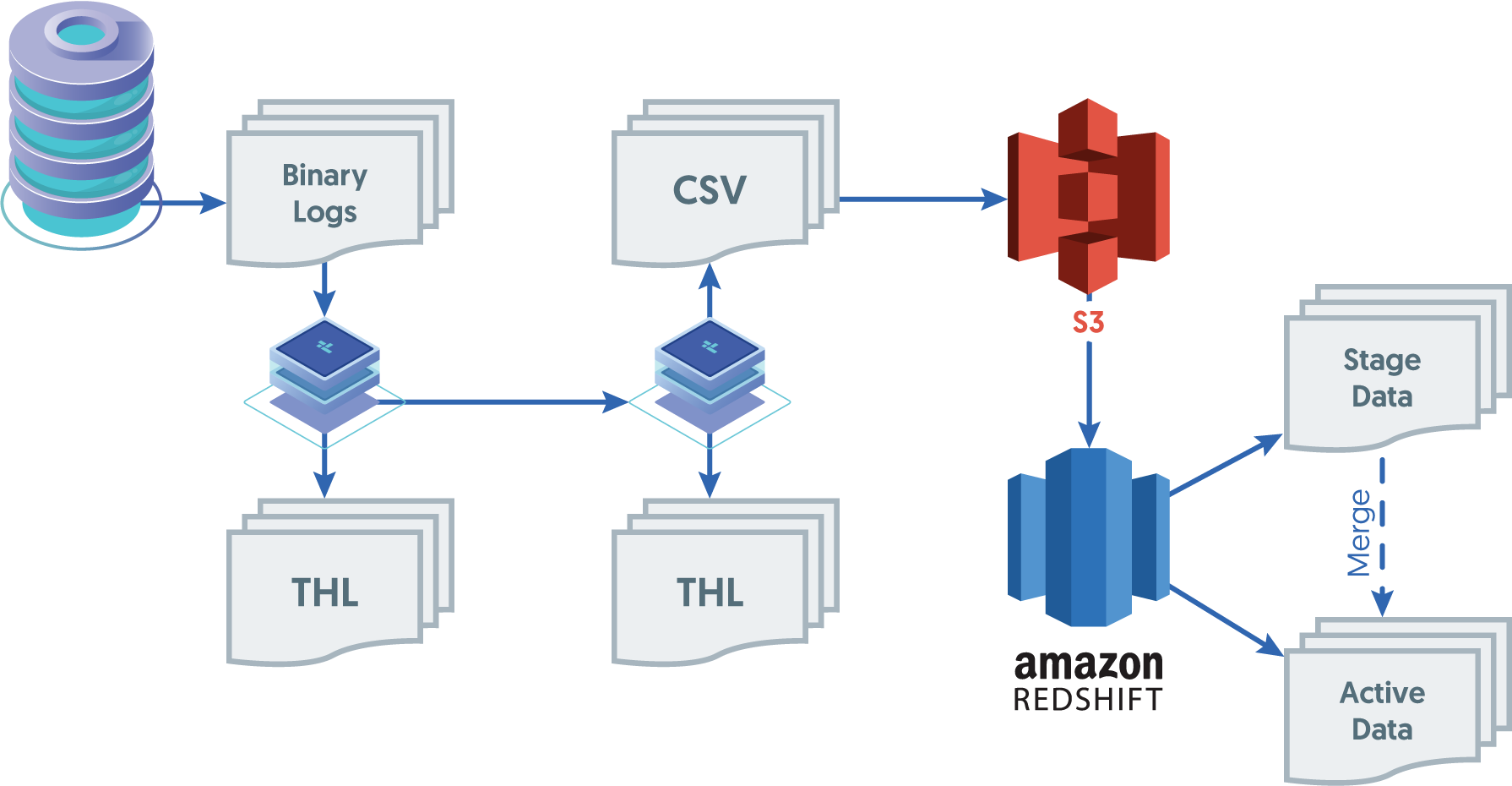
Different object types within the two systems are mapped as follows:
| MySQL | Redshift |
|---|---|
| Instance | Database |
| Database | Schema |
| Table | Table |
The full replication of information operates as follows:
Data is extracted from the source database using the standard extractor, for example by reading the row change data from the binlog in MySQL.
The
ColumnNameFilterfilter is used to extract column name information from the database. This enables the row-change information to be tagged with the corresponding column information. The data changes, and corresponding row names, are stored in the THL.The
PrimaryKeyFilterfilter is used to extract primary key data from the source tables.On the Applier replicator, the THL data is read and written into batch-files in the character-separated value format.
The information in these files is change data, and contains not only the original row values from the source tables, but also metadata about the operation performed (i.e.
INSERT,DELETEorUPDATE, and the primary key of for each table. AllUPDATEstatements are recorded as aDELETEof the existing data, and anINSERTof the new data.In addition to these core operation types, the batch applier can also be configured to record
UPDATEoperations that result inINSERTorDELETErows. This enables Redshift to process the update information more simply than performing the individualDELETEandINSERToperations.A second process uses the CSV stage data and any existing data, to build a materialized view that mirrors the source table data structure.
The staging files created by the replicator are in a specific format that incorporates change and operation information in addition to the original row data.
The format of the files is a character separated values file, with each row separated by a newline, and individual fields separated by the character
0x01. This is supported by Hive as a native value separator.The content of the file consists of the full row data extracted from the Source, plus metadata describing the operation for each row, the sequence number, and then the full row information.
| Operation | Sequence No | Table-specific primary key | DateTime | Table-columns... |
|---|---|---|---|---|
| OPTYPE | SEQNO that generated this row | PRIMARYKEY | DATATIME of source table commit |
The operation field will match one of the following values
| Operation | Description |
|---|---|
| I | Row is an INSERT of new data |
| D | Row is DELETE of existing data |
| UI | Row is an UPDATE which caused INSERT of data |
| UD | Row is an UPDATE which caused DELETE of data |
For example, the MySQL row from an INSERT of:
| 3 | #1 Single | 2006 | Cats and Dogs (#1.4) |
Is represented within the CSV staging files generated as:
"I","5","3","2014-07-31 14:29:17.000","3","#1 Single","2006","Cats and Dogs (#1.4)"
The character separator, and whether to use quoting, are configurable within the replicator when it is deployed. For Redshift, the default behavior is to generate quoted and comma separated fields.